
How to Start a Blog That Makes Money in 2026: A Step-by-Step Guide for Beginners
Starting a blog in 2026 is one of the smartest ways to build a long-term online business. Whether you want to earn passive income, grow a personal brand, promote affiliate products, or share your expertise with the world, blogging offers endless opportunities. Every day, millions of people search Google for helpful information, product reviews, travel guides, tutorials, and buying advice. By creating valuable content that answers these questions, your blog can attract consistent organic traffic and generate multiple income streams.
Unlike social media posts that disappear within hours, blog articles continue working for you long after they are published. A well-optimized article can rank in search results, attract visitors for years, and generate recurring revenue through advertising, affiliate marketing, and digital products. With patience, consistency, and the right SEO strategy, your blog can become a valuable digital asset.
In this beginner-friendly guide, you’ll learn exactly how to start a blog that makes money in 2026. We’ll cover everything from choosing a profitable niche and registering a domain name to selecting web hosting and preparing your website for long-term success.
Why Blogging Is Still Profitable in 2026
Despite the rise of AI tools, social media platforms, and short-form videos, blogging remains one of the most reliable ways to build sustainable online income. Search engines continue to reward websites that publish original, helpful, and trustworthy content. People still use Google to research products, compare services, plan vacations, learn new skills, and solve everyday problems.
One of the biggest advantages of blogging is ownership. Your website belongs to you, giving you complete control over your content, branding, and monetization strategies. Unlike social platforms that can change their algorithms overnight, a blog allows you to build long-term search visibility and consistent traffic.
As your content library grows, each article becomes another opportunity to attract visitors and generate revenue. Over time, a well-maintained blog can earn income through Google AdSense, affiliate marketing, sponsored content, online courses, digital downloads, and more.
Benefits of Starting a Blog
- Low startup cost
- Flexible working hours
- Work from anywhere
- Build a personal brand
- Earn passive income
- Reach a global audience
- Multiple monetization methods
- Long-term organic traffic
- Scalable online business
Image Suggestion
Image: Graph showing increasing website traffic and blogging income.
Image Title: Blogging Traffic and Income Growth
Image Alt Text: Website traffic and income growth chart
Image Description: Illustration showing how consistent publishing and SEO increase blog traffic and earnings over time.
Image Meta Description: Blogging growth chart demonstrating increasing organic traffic and online income.
Step 1: Choose a Profitable Blogging Niche
Every successful blog starts with a profitable niche. Your niche determines the audience you’ll serve, the topics you’ll write about, and the products or services you can recommend. Choosing the right niche is one of the most important decisions because it directly affects your website’s long-term growth and earning potential.
Instead of selecting a topic simply because it seems popular, choose one that combines your interests with strong search demand and monetization opportunities. If you’re passionate about a subject, you’ll find it easier to publish consistently and provide genuine value to readers.
Look for niches with thousands of monthly searches, active advertisers, affiliate programs, and enough content ideas to support your blog for years. Evergreen niches generally perform best because people search for these topics throughout the year.
Popular Blogging Niches in 2026
- Travel
- Technology
- Artificial Intelligence
- Fashion
- Health and Fitness
- Personal Finance
- Food and Recipes
- Beauty
- Home Improvement
- Education
- Digital Marketing
- Lifestyle
Image Suggestion
Image: Mind map displaying profitable blogging niches.
Image Title: Best Blogging Niches for Beginners
Image Alt Text: Mind map showing profitable blog niche ideas
Image Description: Illustration highlighting popular blogging categories with high traffic and income potential.
Image Meta Description: Popular blogging niches that can generate long-term traffic and online income.
Step 2: Validate Your Niche Before Investing
Before purchasing your domain name and hosting plan, validate your niche. This simple research process helps you determine whether people are actively searching for your topic and whether it offers long-term growth opportunities.
Start by researching keywords using reliable SEO tools. Look at search volume, keyword competition, and related search queries. Study successful websites in your niche to understand what content performs well and identify gaps you can fill with better, more comprehensive articles.
A profitable niche should provide enough content ideas for several years of publishing. If you can create a list of more than 100 useful article topics, it’s a strong sign that your niche has long-term potential.
How to Validate a Blog Niche
- Research Google Trends
- Analyze keyword search volume
- Check affiliate programs
- Study successful competitors
- Identify audience pain points
- Create 100 blog topic ideas
- Review seasonal trends
- Look for advertiser demand
Image Suggestion
Image: Blogger researching keywords on a laptop.
Image Title: Blog Niche Research Process
Image Alt Text: Keyword research dashboard for blog planning
Image Description: A blogger using keyword research tools to validate a profitable niche before launching a website.
Image Meta Description: Keyword research helps bloggers choose profitable niches with strong search demand.
Step 3: Choose a Memorable Domain Name
Your domain name is your online identity. A short, memorable, and brandable domain helps visitors remember your website and creates a professional first impression.
Whenever possible, choose a .com extension because it’s the most recognized and trusted domain worldwide. Avoid numbers, hyphens, and complicated words that make your website difficult to remember or type.
Rather than forcing keywords into your domain name, focus on building a strong brand. Modern SEO relies much more on content quality, website performance, user experience, and authority than exact-match domain names.
For example, a brand like Jeksovia.com is flexible enough to cover technology, travel, AI, lifestyle, and many other content categories as your website grows.
Tips for Choosing a Great Domain Name
- Keep it short
- Make it easy to pronounce
- Choose a .com extension
- Avoid numbers and hyphens
- Create a brandable name
- Think long-term
- Check trademark availability
- Keep spelling simple
Image Suggestion
Image: Laptop displaying a domain registration search page.
Image Title: Choosing the Perfect Blog Domain
Image Alt Text: Domain registration website on a laptop
Image Description: A blogger searching for a memorable domain name before launching a professional website.
Image Meta Description: Choosing a short, memorable, and brandable domain name for a successful blog.
Step 4: Buy Reliable Web Hosting
After choosing your domain name, the next step is purchasing web hosting. Hosting is the service that stores your website’s files and makes them accessible on the internet. Choosing reliable hosting from the beginning improves your website’s speed, security, uptime, and overall user experience. Since page speed is an important Google ranking factor, investing in quality hosting can positively impact your SEO performance.
Many hosting providers offer beginner-friendly plans that include free SSL certificates, one-click WordPress installation, automatic backups, email accounts, and customer support. As your website grows, you can easily upgrade to more powerful hosting plans without changing your domain name.
When comparing hosting providers, don’t focus only on price. Consider performance, support quality, scalability, security, and customer reviews. A dependable hosting provider helps ensure your blog remains accessible even during periods of high traffic.
Features to Look for in Web Hosting
- Free SSL certificate
- SSD or NVMe storage
- One-click WordPress installation
- Daily or automatic backups
- 99.9% uptime guarantee
- Fast customer support
- CDN compatibility
- Free website migration
- Scalable hosting plans
Image Suggestion
Image: Comparison of shared hosting and cloud hosting.
Image Title: Best Web Hosting for Beginner Bloggers
Image Alt Text: Shared hosting versus cloud hosting comparison
Image Description: Illustration comparing hosting options for new bloggers looking to launch a WordPress website.
Image Meta Description: Comparison of shared and cloud hosting options for beginners starting a profitable blog.
Shared Hosting vs. Cloud Hosting
Choosing the right hosting type depends on your budget and expected traffic. Shared hosting is an excellent starting point because it is affordable and simple to manage. It allows multiple websites to share the same server resources, making it ideal for beginners.
Cloud hosting, on the other hand, offers better performance, scalability, and reliability. It distributes your website across multiple servers, reducing downtime and handling traffic spikes more efficiently. If you expect rapid growth or already have an established audience, cloud hosting may be a better long-term investment.
Shared Hosting
- Affordable pricing
- Easy to manage
- Ideal for beginners
- Suitable for new blogs
Cloud Hosting
- Faster performance
- Better uptime
- Handles higher traffic
- Easily scalable
Step 5: Install WordPress
WordPress powers more than 40% of websites worldwide and remains the most popular blogging platform. It is free, flexible, beginner-friendly, and supported by thousands of themes and plugins. Whether you’re building a travel blog, technology website, fashion magazine, or affiliate marketing site, WordPress provides all the tools you need.
Most hosting companies offer one-click WordPress installation, allowing you to set up your website within minutes. After installation, you’ll receive login details for your WordPress dashboard, where you can manage your content, customize your website, and install plugins.
Before publishing your first article, spend some time configuring the basic settings. These small adjustments improve security, user experience, and SEO.
Initial WordPress Settings
- Set your website title
- Create a tagline
- Enable HTTPS
- Configure permalink structure
- Set your timezone
- Delete default content
- Create secure login credentials
- Install automatic updates
Image Suggestion
Image: WordPress dashboard after installation.
Image Title: Installing WordPress for Beginners
Image Alt Text: WordPress dashboard after installation
Image Description: Beginner accessing the WordPress admin dashboard after successfully installing the blogging platform.
Image Meta Description: WordPress installation completed and ready for customization and content publishing.
Step 6: Choose a Fast and SEO-Friendly WordPress Theme
Your WordPress theme controls your website’s appearance, layout, and user experience. A lightweight, responsive theme helps your pages load quickly and looks great on desktops, tablets, and smartphones. Since most users browse websites on mobile devices, mobile responsiveness is essential for both SEO and visitor satisfaction.
Avoid themes overloaded with unnecessary features or animations. Instead, choose one designed for speed, clean coding, and compatibility with popular page builders.
Popular beginner-friendly themes include:
- Astra
- Kadence
- GeneratePress
- Blocksy
- Hello Elementor
These themes are optimized for performance, regularly updated, and compatible with leading SEO plugins.
What Makes a Good WordPress Theme?
- Fast loading speed
- Mobile responsive
- SEO-friendly code
- Easy customization
- Regular updates
- Secure coding
- Compatible with major plugins
- Accessibility support
Image Suggestion
Image: Responsive WordPress theme displayed on desktop and mobile.
Image Title: Best SEO-Friendly WordPress Themes
Image Alt Text: Responsive WordPress theme preview
Image Description: Modern WordPress theme optimized for speed, mobile responsiveness, and search engine optimization.
Image Meta Description: Lightweight WordPress themes designed to improve user experience and Google rankings.
Step 7: Install Essential WordPress Plugins
Plugins extend the functionality of your blog without requiring programming knowledge. While WordPress offers thousands of plugins, installing too many can slow down your website. Choose only high-quality plugins from trusted developers.
A few carefully selected plugins can improve SEO, security, website speed, backups, image optimization, and visitor engagement.
Recommended Plugin Categories
- SEO optimization
- Security
- Website caching
- Backup management
- Contact forms
- Image optimization
- Spam protection
- Analytics integration
Popular WordPress Plugins
- Rank Math SEO
- Yoast SEO
- LiteSpeed Cache
- WPForms
- Wordfence Security
- UpdraftPlus
- Smush
- Site Kit by Google
Keep your plugins updated regularly to maintain security and performance.
Image Suggestion
Image: WordPress plugins page showing essential plugins.
Image Title: Essential WordPress Plugins for Bloggers
Image Alt Text: WordPress plugin installation page
Image Description: Dashboard displaying recommended plugins that improve SEO, security, speed, and website performance.
Image Meta Description: Essential WordPress plugins every beginner should install for better SEO and website management.
Step 8: Perform Keyword Research
Keyword research is one of the most important parts of SEO. It helps you understand what your audience is searching for and allows you to create content that matches their needs. Instead of guessing which topics to write about, use keyword research tools to identify opportunities with strong search demand.
Focus on long-tail keywords because they are generally less competitive and attract visitors with specific search intent. Long-tail keywords also tend to convert better since users are searching for detailed information.
For this article, the primary keyword is How to Start a Blog That Makes Money in 2026, while related keywords might include:
- Blogging for beginners
- Start a WordPress blog
- Blog SEO tips
- Make money blogging
- Beginner blogging guide
- Best blogging platform
Best Keyword Research Tools
- Google Keyword Planner
- Google Trends
- Google Search Console
- Ahrefs
- SEMrush
- Ubersuggest
- KeywordTool.io
Use your primary keyword naturally throughout the article, especially in the title, introduction, headings, meta description, and conclusion. Avoid keyword stuffing, as it can negatively affect readability and SEO.
Image Suggestion
Image: Keyword research dashboard showing search volume.
Image Title: Keyword Research for Blog SEO
Image Alt Text: Keyword research dashboard with SEO metrics
Image Description: Blogger analyzing keyword search volume and competition before writing a blog post.
Image Meta Description: Keyword research helps bloggers discover topics that attract organic traffic from Google.
Part 2 Summary
At this stage, your blog has a solid technical foundation. You have selected reliable hosting, installed WordPress, chosen a fast and SEO-friendly theme, added essential plugins, and learned how to perform effective keyword research. These steps prepare your website for publishing high-quality content that can rank well in search engines.
Step 9: Write High-Quality SEO-Friendly Blog Posts
Creating valuable content is the heart of a successful blog. No matter how attractive your website looks or how fast it loads, your blog won’t grow unless you consistently publish helpful, original, and well-structured articles. Google rewards content that demonstrates experience, expertise, authoritativeness, and trustworthiness (EEAT). Instead of writing only for search engines, focus on solving your readers’ problems and answering their questions in a clear, engaging way.
Before writing, identify the primary keyword and understand the user’s search intent. Organize your content with descriptive headings, short paragraphs, bullet points, and relevant images. This improves readability and encourages visitors to stay on your website longer. Include examples, practical tips, and actionable advice whenever possible. Avoid copying content from other websites, as originality plays an important role in long-term SEO success.
Tips for Writing SEO-Friendly Articles
- Focus on one primary keyword per article.
- Write compelling introductions.
- Use H2 and H3 headings naturally.
- Keep paragraphs short and easy to read.
- Add relevant images with optimized metadata.
- Include internal and external links.
- Answer common reader questions.
- End with a clear conclusion or call to action.
Image Suggestion
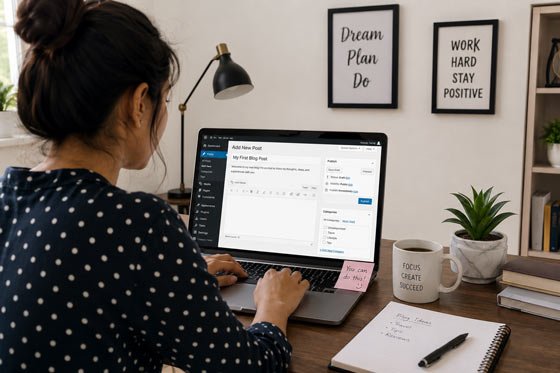
Image: Blogger writing an article using WordPress on a laptop.
Image Title: Writing SEO-Friendly Blog Content
Image Alt Text: Blogger creating SEO-optimized content in WordPress
Image Description: A content creator writing an informative blog post optimized for search engines and readers.
Image Meta Description: Blogger creating high-quality SEO-friendly content that improves Google rankings and user engagement.
Step 10: Optimize Images for Better SEO
Images improve the appearance of your blog and make articles more engaging. They also contribute to SEO when properly optimized. Large, uncompressed images can slow down your website, so always resize and compress images before uploading them.
Every image should include a descriptive file name, title, alt text, description, and caption where appropriate. Alt text helps search engines understand the image and improves accessibility for users who rely on screen readers.
For example, instead of naming an image IMG12345.jpg, use a descriptive filename such as start-blog-wordpress-dashboard.webp.
Image SEO Checklist
- Use descriptive file names.
- Compress images before uploading.
- Choose modern formats like WebP.
- Add keyword-rich alt text naturally.
- Write descriptive image titles.
- Include captions when useful.
- Enable lazy loading.
- Keep image sizes optimized for faster loading.
Image Suggestion
Image: Before-and-after comparison of optimized website images.
Image Title: Image SEO Best Practices
Image Alt Text: Optimized website images improving page speed
Image Description: Comparison showing how optimized images improve website speed and user experience.
Image Meta Description: Image optimization techniques that improve website performance and search engine rankings.
Step 11: Monetize Your Blog
Once your blog starts attracting consistent traffic, you can begin generating income through multiple monetization methods. Successful bloggers rarely rely on a single income source. Instead, they combine several strategies to build a stable and diversified revenue stream.
The most popular monetization methods include:
- Google AdSense
- Affiliate marketing
- Sponsored posts
- Selling digital products
- Online courses
- Freelance services
- Membership subscriptions
- Email marketing
Diversifying your income protects your business from changes in advertising rates or affiliate commissions.
Earn Money with Google AdSense
Google AdSense remains one of the easiest ways for beginners to earn money from blogging. After your website meets AdSense quality guidelines and receives consistent traffic, you can apply for approval. Once approved, Google automatically displays relevant advertisements on your pages, and you earn revenue when visitors view or click those ads.
To improve your chances of approval:
- Publish original content.
- Create essential pages.
- Improve website navigation.
- Optimize page speed.
- Ensure mobile responsiveness.
- Avoid copyrighted material.
- Follow Google AdSense policies.
Image Suggestion
Image: Website displaying Google AdSense advertisements.
Image Title: Google AdSense for Bloggers
Image Alt Text: Google AdSense ads displayed on a blog
Image Description: Example of display advertisements placed within a professional blog layout.
Image Meta Description: Google AdSense helping bloggers generate advertising revenue from website traffic.
Make Money with Affiliate Marketing
Affiliate marketing is one of the highest-paying blogging income sources. You recommend products or services through unique affiliate links and earn a commission whenever someone makes a purchase.
Choose products that genuinely help your audience instead of promoting everything available. Honest recommendations build trust and improve conversion rates.
Popular affiliate programs include:
- Amazon Associates
- Flipkart Affiliate
- Impact
- ShareASale
- CJ Affiliate
- PartnerStack
- Bluehost Affiliate Program
- Hostinger Affiliate Program
High-converting affiliate content includes:
- Product reviews
- Buying guides
- Product comparisons
- Best product lists
- Tutorials
- Case studies
Promote Your Blog and Increase Traffic
Publishing great content is only half the job. You also need to promote it consistently. A balanced traffic strategy includes search engines, social media, email newsletters, and community engagement.
Effective Ways to Promote Your Blog
- Optimize every article for SEO.
- Share posts on Facebook, X, LinkedIn, and Pinterest.
- Create YouTube videos related to your articles.
- Answer questions on Quora and Reddit.
- Build an email subscriber list.
- Write guest posts.
- Update older articles regularly.
- Share content in relevant online communities.
Consistent promotion helps new articles get discovered faster and increases the likelihood of earning backlinks.
Image Suggestion
Image: Flowchart showing multiple traffic sources to a blog.
Image Title: Blog Traffic Sources
Image Alt Text: Organic, social, email, and referral traffic sources
Image Description: Diagram illustrating different channels that drive visitors to a blog.
Image Meta Description: Multiple traffic sources including SEO, social media, email marketing, and referrals.
Common Blogging Mistakes to Avoid
Many beginners expect quick results and give up too early. Blogging is a long-term business that requires patience, consistency, and continuous learning.
Avoid these common mistakes:
- Publishing low-quality content.
- Ignoring keyword research.
- Not optimizing images.
- Using too many plugins.
- Choosing slow web hosting.
- Inconsistent publishing schedule.
- Ignoring mobile optimization.
- Forgetting internal linking.
- Not updating old articles.
- Expecting instant income.
Learning from these mistakes early can save time and help your blog grow faster.
Essential Pages Every Blog Needs
Before applying for Google AdSense or affiliate programs, make sure your website includes important legal and informational pages.
Create These Pages
- About Us
- Contact Us
- Privacy Policy
- Terms and Conditions
- Disclaimer
- Affiliate Disclosure
- Cookie Policy
These pages improve transparency, build visitor trust, and help meet advertising program requirements.
Frequently Asked Questions
How long does it take to make money from a blog?
Most successful blogs take between six months and one year to generate consistent income. The timeline depends on content quality, SEO, competition, and publishing consistency.
Do I need coding knowledge to start a blog?
No. WordPress allows beginners to create and manage professional websites without coding skills.
Can I start a blog for free?
Free blogging platforms are available, but a self-hosted WordPress website provides greater control, better branding, improved SEO, and more monetization opportunities.
How often should I publish blog posts?
Aim to publish at least one high-quality article each week. Consistency is more important than publishing large amounts of low-quality content.
Is blogging still profitable in 2026?
Yes. Blogging remains profitable for creators who consistently publish valuable, SEO-optimized content and build trust with their audience.
Final Thoughts
Starting a blog that makes money in 2026 is achievable for anyone willing to invest time in learning, creating valuable content, and following SEO best practices. Success doesn’t happen overnight, but every high-quality article you publish strengthens your website and increases your opportunities to attract organic traffic and earn income.
Begin by choosing a profitable niche, registering a memorable domain name, selecting reliable hosting, and building your website with WordPress. Focus on publishing original, helpful content that genuinely solves your audience’s problems. Optimize every article for search engines, improve your website’s performance, and diversify your income through Google AdSense, affiliate marketing, sponsored content, and digital products.
Remember that blogging is a marathon, not a sprint. Stay consistent, monitor your performance using tools like Google Search Console and Google Analytics, update older content regularly, and continue learning as search trends evolve. With persistence and a commitment to quality, your blog can become a valuable online business that generates traffic, builds authority, and creates sustainable income for years to come.